Auto-mount and safely unmount USB drives, external SSDs, and dock-attached disks from your Mac menu bar. Stop the "Disk Not Ejected Properly" error when undocking your MacBook.
If you use a USB-C dock, Thunderbolt dock, or hub with a permanently attached external drive, every time you undock your MacBook macOS warns you that the disk was not ejected properly — and repeated improper ejects can corrupt the drive. Mountio is the macOS mount manager built to fix exactly this problem. Read the full guide →
Disable auto-mount for dock-attached disks so macOS stops mounting them every time you reconnect — no more eject warnings when you grab your laptop and go.
Unmount a single drive or every drive at once from the menu bar before you undock. No Finder, no Disk Utility, no Terminal.
Avoid filesystem corruption from improper ejects on USB sticks, external SSDs, and HDDs by always unmounting cleanly with a single click.
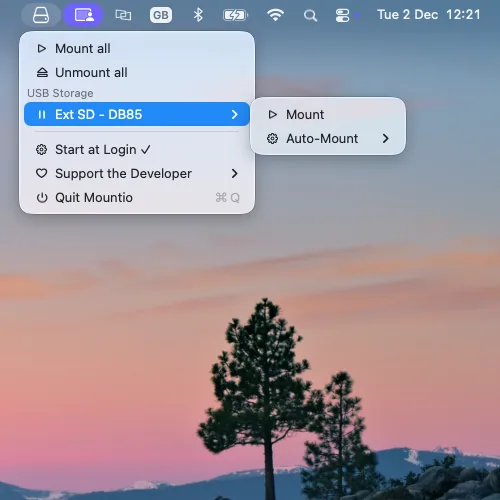
Mountio runs quietly in your menu bar, continuously monitoring every USB and Thunderbolt storage device connected to your Mac. Click the icon to see attached USB sticks, external SSDs, and dock-mounted disks with their current mount status — and mount, unmount, or configure each one in a click.
Displays all attached USB sticks in your menu bar with real-time status indicators
Menu automatically updates every 2 seconds to show current device status
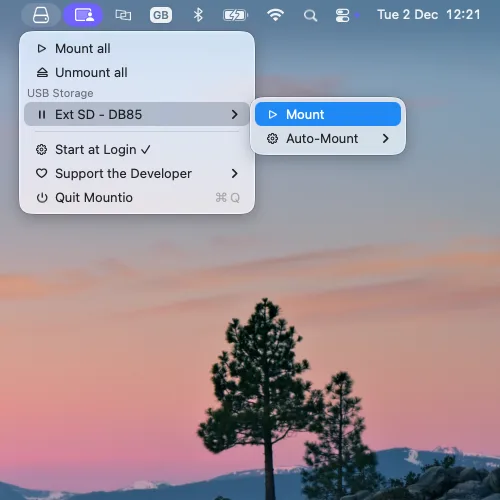
Mount or detach USB sticks with just a few clicks
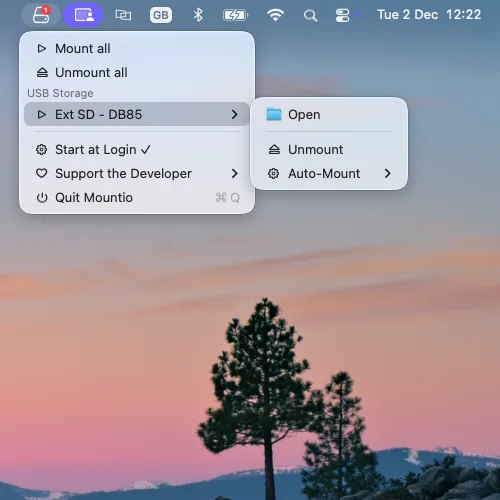
Clear indicators showing whether devices are mounted or attached
Mount all or unmount all USB sticks at once
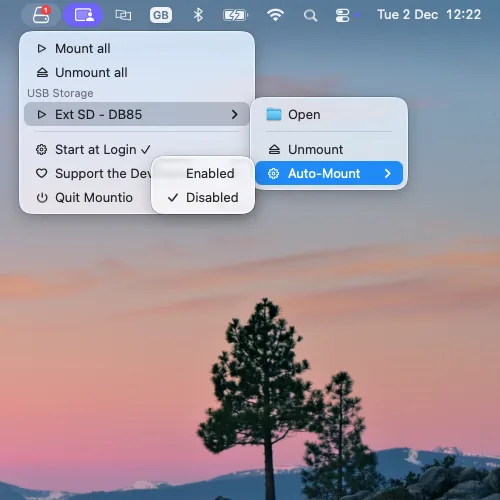
Configure automatic mounting preferences for each USB device
See Mountio in action - from menu bar monitoring to device management
Click the icon to see all attached USB sticks with their volume names and status
The USB icon shows in your menu bar with a badge indicating the number of mounted devices
Access mount/unmount actions for one or all devices together
Disable auto-mount for dock-connected USB sticks to prevent automatic mounting.
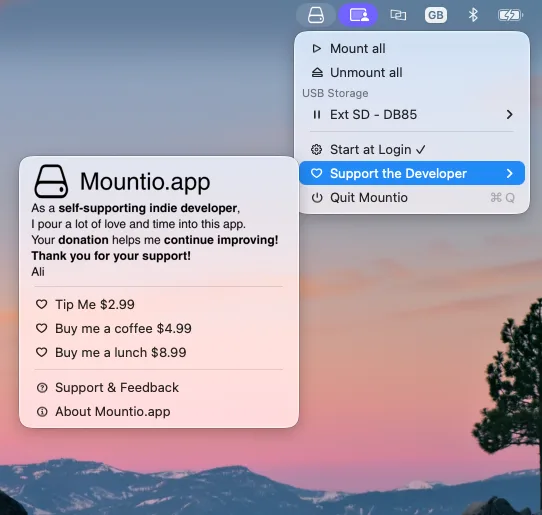
Easy access to support, feedback, and donation options
Get the latest version of Mountio for macOS 12.0 or later
macOS 12.0 or later
Administrator privileges may be required for mount/detach operations
Drag & drop installation - no complex setup required
Common questions about using Mountio as a macOS mount manager.
A mount manager is a utility that controls when and how external storage devices — USB drives, external SSDs, dock-attached disks — are mounted and unmounted by macOS. Mountio sits in your menu bar and lets you mount, unmount, and configure auto-mount behavior for each USB device individually.
The error appears when you disconnect from a dock or USB hub while a disk is still mounted. Mountio fixes this in two ways: you can safely unmount drives with one click before undocking, or you can disable auto-mount for dock-attached disks so macOS does not mount them automatically when you reconnect.
Yes. Mountio remembers each USB device and lets you set per-device auto-mount preferences. You choose which drives mount automatically and which stay attached but unmounted until you mount them manually from the menu bar.
Yes. Mountio works with any USB or Thunderbolt dock or hub on macOS. It is especially useful for MacBook users with permanently dock-attached external drives — you can disable auto-mount for those disks and prevent improper-eject errors when you undock.
Yes. Mountio is completely free to download and use on macOS 12.0 or later. Donations are optional and help support development.
Mountio supports macOS 12.0 (Monterey) and later, including macOS 13, 14, and 15, on both Intel and Apple Silicon Macs.