Mountio USB device monitor icon

USB Stick Menu Bar Monitor

A simple and elegant macOS menu bar application that helps you manage your USB storage devices

Menu Bar Access
Auto-Refresh
Quick Actions
Auto-Mount
What is Mountio?

Mountio runs quietly in your menu bar, continuously monitoring all USB devices connected to your Mac. When you click the USB icon in the menu bar, you'll see all attached USB sticks with their current status.

Menu Bar Monitoring

Displays all attached USB sticks in your menu bar with real-time status indicators

Auto-Refresh

Menu automatically updates every 2 seconds to show current device status

Quick Actions

Mount or detach USB sticks with just a few clicks

Smart Status

Clear indicators showing whether devices are mounted or attached

Bulk Operations

Mount all or unmount all USB sticks at once

Auto-Mount Settings

Configure automatic mounting preferences for each USB device

How It Works?

See Mountio in action - from menu bar monitoring to device management

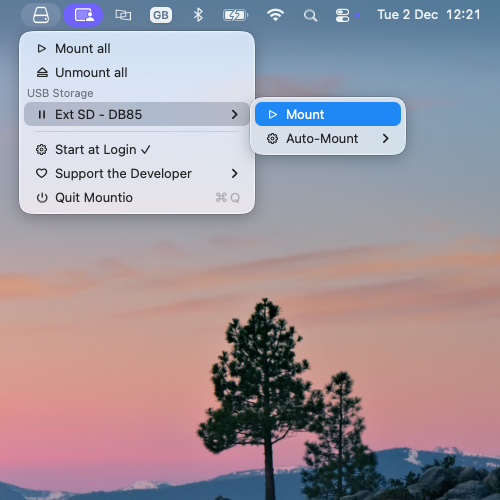
Mountio menu bar icon with USB device count badge on macOS

Menu Bar Icon

Click the icon to see all attached USB sticks with their volume names and status

Mountio USB devices list showing all connected USB storage devices

Device Overview

The USB icon shows in your menu bar with a badge indicating the number of mounted devices

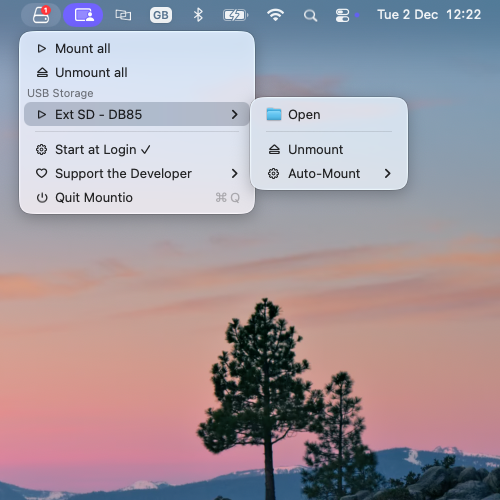
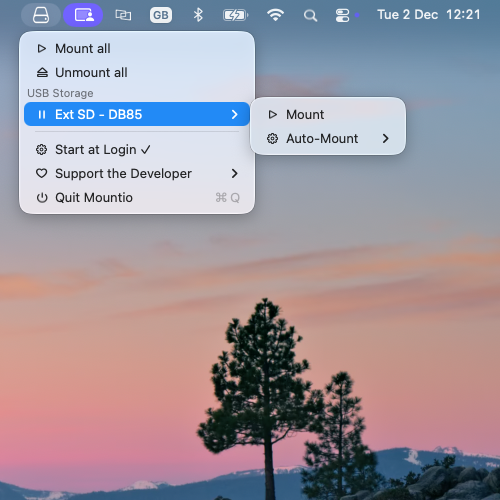
Mountio quick actions menu for mounting and unmounting USB devices

Quick Actions

Access mount/unmount actions for one or all devices together

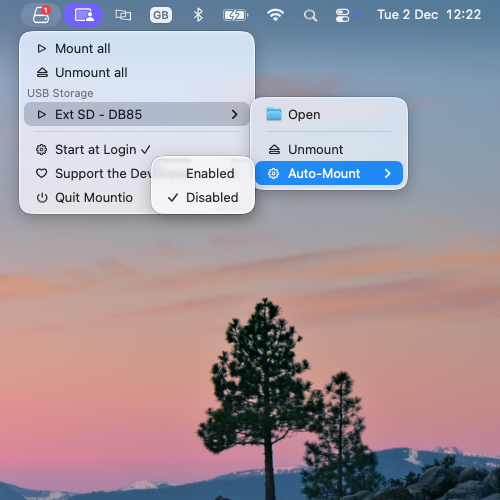
Mountio auto-mount settings configuration for USB devices

Auto-Mount Settings

Disable auto-mount for dock-connected USB sticks to prevent automatic mounting.

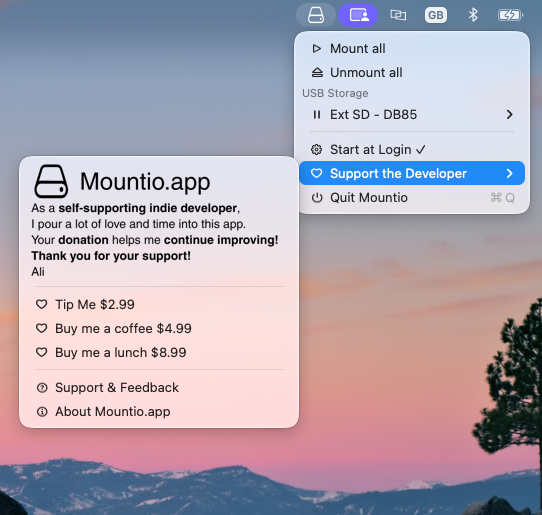
Mountio support and donation options menu

Support and Feedback

Easy access to support, feedback, and donation options

Download Mountio

Get the latest version of Mountio for macOS 12.0 or later

Current Version: 1.0.4 (Build 451)

  • ✓ Menu bar icon with device count badge
  • ✓ Real-time USB device monitoring
  • ✓ Quick mount/detach actions
  • ✓ Auto-mount configuration
  • ✓ Bulk operations (mount all/unmount all)
  • ✓ Support for macOS 12.0+
Download for macOS

Requires administrator privileges for mount/detach operations

System Requirements

Operating System

macOS 12.0 or later

Permissions

Administrator privileges may be required for mount/detach operations

Installation

Drag & drop installation - no complex setup required